Not every day brings a big event. But breakfast by the window, the sea breeze on a walk, or a small thing you finally figured out can be worth remembering too.
Open Moments in DearWith. Write a sentence, add a few photos, or record what is on your mind. There is no need to add a friend or choose a recipient. Create from My Moments and keep visibility set to Only Me for a private entry.
A breakfast photo. A few words on a walk.
Take a photo of coffee and warm toast, and write, “No rush to leave this morning.” When typing on a walk is inconvenient, record your voice instead. Say what you saw and how it felt. Save text, photos, or one voice recording on their own, or keep them together in one entry.
An example entry:
“Took the long way home, along the sea. Just the light on the water, and nowhere to rush.”
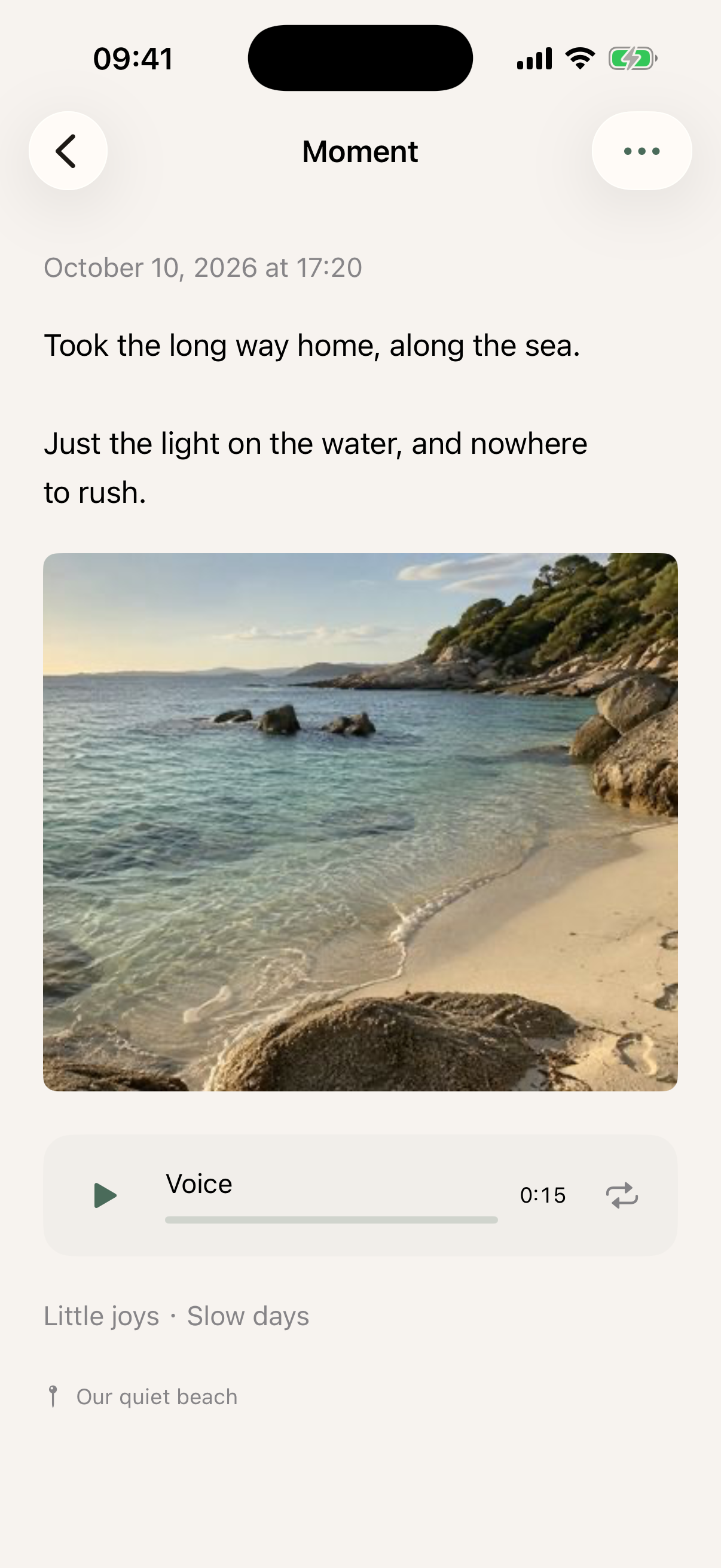
Actual app screenshots with sample entries and generated photos. Select an image to open the original in a new tab.
Yours to keep, easy to find again
Add your own tags, such as “Walks,” “Travel,” or “Everyday,” then filter your timeline by a tag. To remember where something happened, add a location and give it a meaningful name, such as “Our quiet beach.”
Adding friends does not share your Moments. Private entries have no audience or comments to keep up with. You can choose to share selected entries through Family Moments.
Begin with one small thing today
- Open Moments → +.
- Write a few words, take a photo or choose one from your library, or record your voice.
- Add tags and a location if you like, then save.
- Return to your timeline to read, look at the photos, or hear your voice from that day.
Entries save on your iPhone first, then sync automatically. For interrupted connections, reopening the app, or moving to another phone, see storage and access.
Free includes up to 9 photos and a 1-minute recording per entry; VIP allows 30 photos and a 5-minute recording. Both include text, tags, and locations. See Free & VIP.
If you later want to leave something for your future self, you can create a separate Letter. Moments cannot currently be converted directly into Letters.